On-Page SEO Sidebar for Chrome
On-Page SEO Sidebar is a Chrome extension for technical on-page SEO checks and page-specific Google Search Console query data. It opens in Chrome's side panel and analyzes the active tab's rendered DOM locally in your browser.
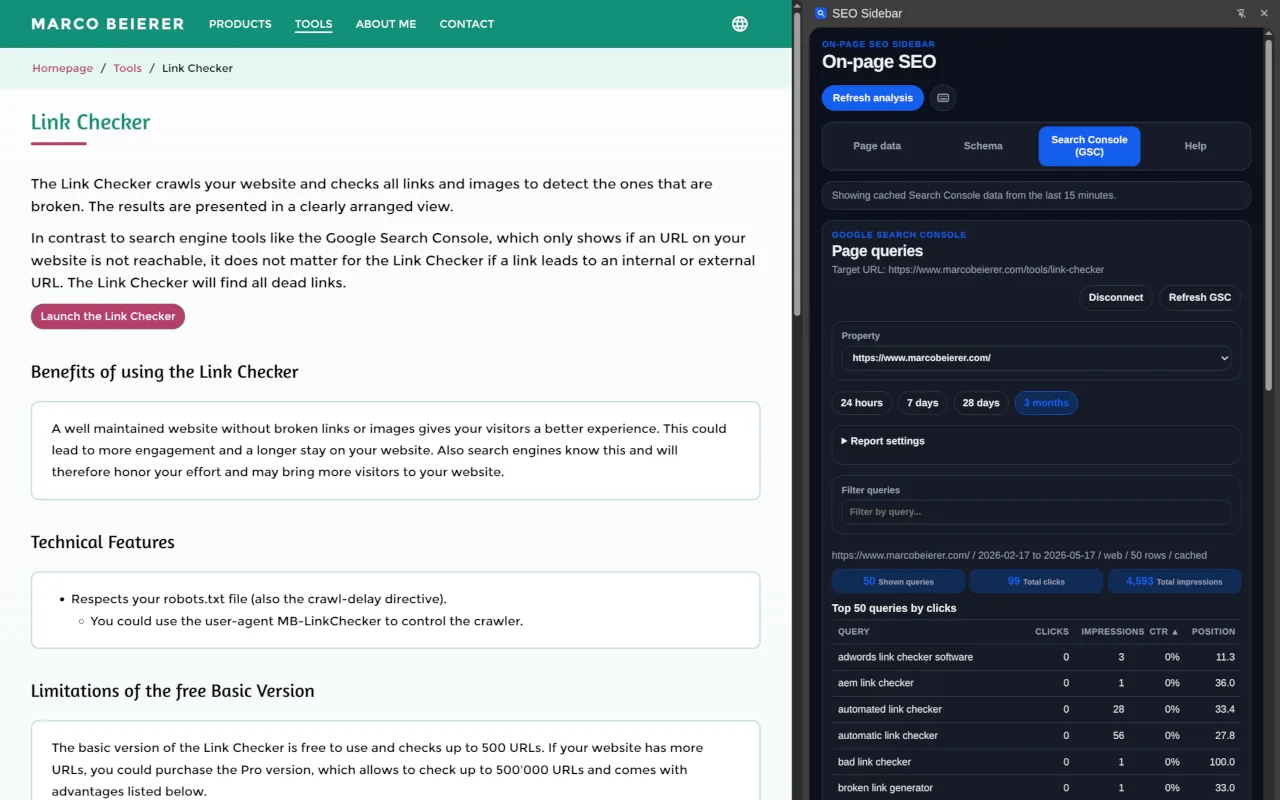
The extension is useful when you want to inspect structured data, metadata and page signals, then compare them with the top queries, clicks, impressions, CTR and average position for the current URL.
What It Checks
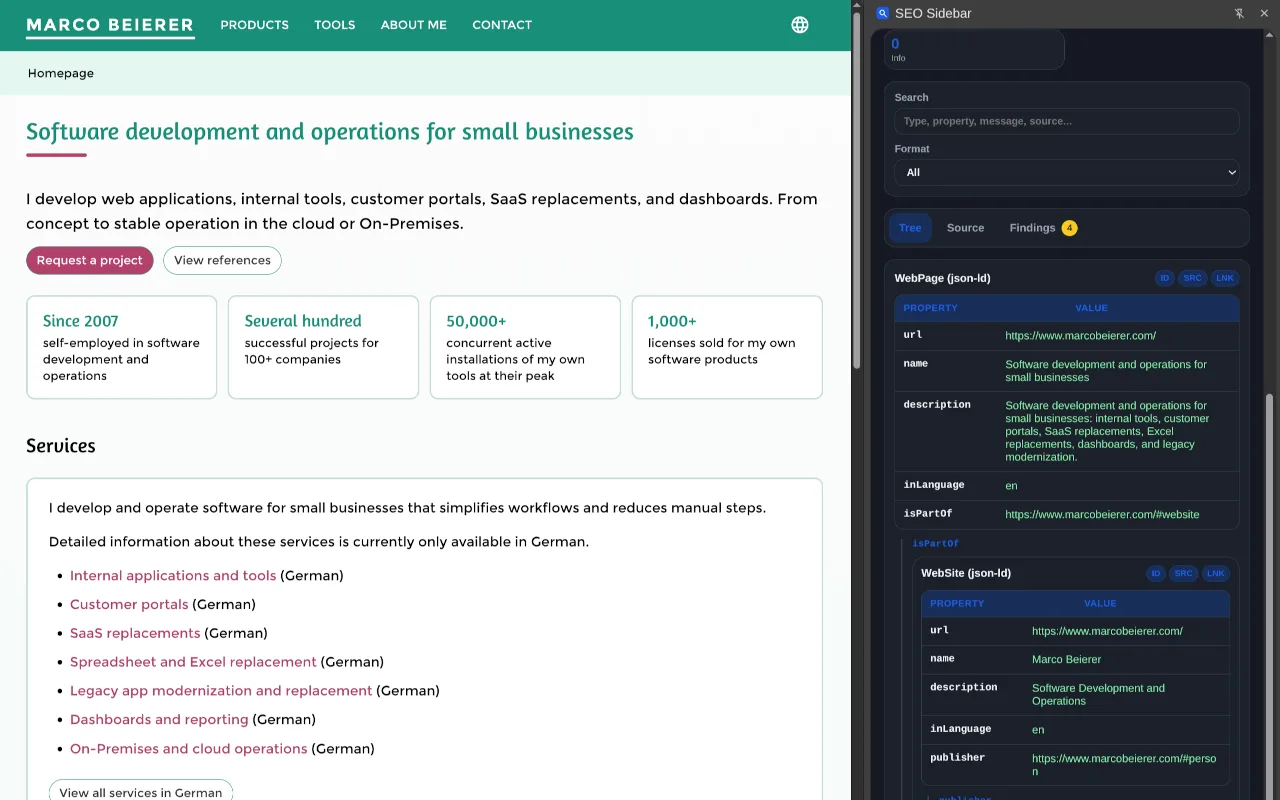
The sidebar extracts the page title, meta description, canonical URL and hreflang links. It also reads structured data from JSON-LD, Microdata and RDFa.
Structured data is shown as a normalized schema tree. Where identifiers are available, related entities are linked so you can see how the page describes products, articles, organizations, breadcrumbs and other schema entities.
Development and testing currently focus on modern JSON-LD metadata, because Google recommends JSON-LD for structured data where possible.
The findings view highlights malformed JSON-LD, duplicate or conflicting entities and fields that may affect Google rich result eligibility. The bundled Google rich result rules are a local QA layer and do not replace Google's own testing tools.
Google Search Console Data
On-Page SEO Sidebar can show Google Search Console query data for the active page. It lists the top 50 queries by clicks that led to the current URL, including clicks, impressions, CTR and average position. You can review these search performance signals while checking the rendered page, structured data, metadata and index-relevant tags in the same browser sidebar.
This feature currently requires you to be signed in to Chrome. If you already use Chrome while signed in, this does not add friction. If you do not, the requirement is a current limitation.
When It Helps
- Checking structured data on staging pages, authenticated pages and localhost
- Reviewing rendered output from CMS templates and single-page applications
- Finding malformed JSON-LD without copying source code into an external tool
- Comparing schema entities across JSON-LD, Microdata and RDFa
- Spot-checking title, meta description, canonical and hreflang output
- Checking Search Console data for the active page while reviewing on-page SEO
Privacy
The structured data and metadata analysis runs locally in Chrome against the active tab. Page content, URLs, structured data, findings and local analysis results are not sent to external services and are not stored after the side panel or page session ends.
The optional Search Console view requests Search Console data from Google for the active page and requires a Google account signed in to Chrome that can read the relevant Search Console property.
Open Source & Availability
On-Page SEO Sidebar is open source. The source code is available on GitHub.
The extension is available in the Chrome Web Store.